
What Is Google Search Console?
Google Search Console (GSC) is a free tool provided by Google that helps website owners monitor, maintain, and improve their site’s presence in Google Search results. It allows you to understand how Google crawls, indexes, and displays your web pages.
Using Google Search Console, you can:
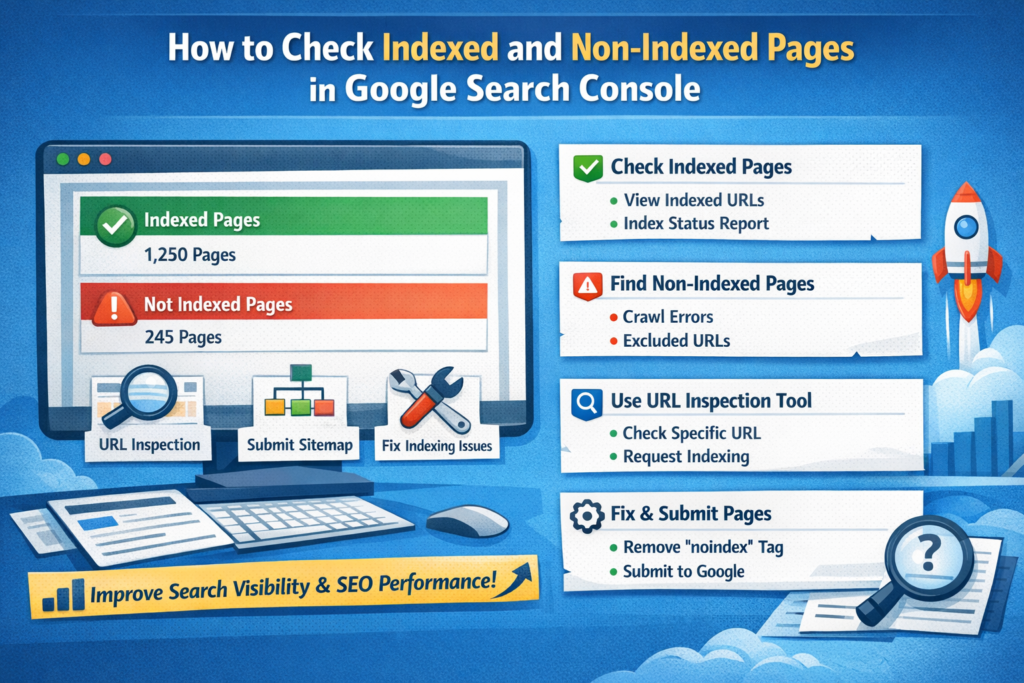
Check which pages are indexed by Google
- Identify pages that are not indexed
- Fix indexing and crawling issues
- Submit sitemaps and URLs
- Monitor search performance and keywords
If your pages are not indexed, they will not appear in Google search results, which directly affects your traffic and rankings. That’s why checking indexed and non-indexed pages in Google Search Console is crucial for SEO.
Why Page Indexing Is Important for SEO
Indexing means Google has discovered, crawled, and stored your page in its database. Only indexed pages can rank on Google.
Benefits of proper indexing:
Supports overall SEO performance
Improves search visibility
Helps pages appear in Google results
Boosts organic traffic
How to Check Indexed Pages in Google Search Console
Step 1: Log in to Google Search Console
Go to Google Search Console and select your verified property.
Step 2: Open the “Pages” Report
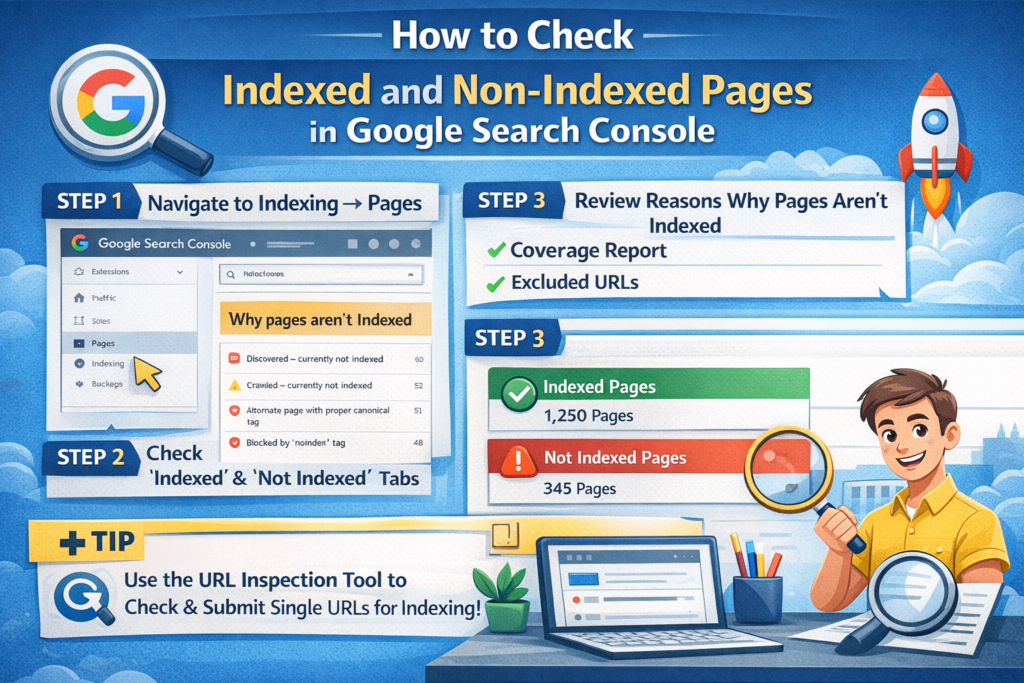
- Navigate to Indexing → Pages
- You will see a summary of:
- Indexed pages
- Not indexed pages
- You will see a summary of:
Step 3: View Indexed Pages
Under the “Indexed” section, you can see:
- Total number of indexed URLs
- Indexing status
- Page examples
This shows which pages Google has successfully indexed.
How to Check Non-Indexed Pages in Google Search Console
Step 1: Go to the “Not Indexed” Section
In the Pages report, scroll down to “Why pages aren’t indexed”.
Step 2: Review Indexing Issues
Common reasons include:
- Crawled – currently not indexed
- Discovered – currently not indexed
- Duplicate without user-selected canonical
- Excluded by ‘noindex’ tag
- Page with redirect
- Blocked by robots.txt
Click on any issue to see affected URLs.
How to Check a Specific URL Using URL Inspection Tool
- Paste the page URL into the URL Inspection Tool at the top
- Google will show:
- Indexing status
- Last crawl date
- Coverage issues
- Google will show:
- If the page is not indexed, click “Request Indexing”
This is useful when you publish new content or update existing pages.
How to Fix Non-Indexed Pages in Google Search Console
Here are common fixes:
 Remove noindex tags if not needed
 Remove noindex tags if not needed
- Fix crawl errors
- Improve content quality (thin content may not get indexed)
- Add internal links
- Submit XML sitemap
- Ensure the page is mobile-friendly
- Avoid duplicate content
How to Submit Pages for Indexing
- Use the URL Inspection Tool
- Click Request Indexing
- Submit your sitemap from Sitemaps section
Google may take from a few hours to several days to index pages.
Common Reasons Pages Are Not Indexed
- Low-quality or duplicate content
- New website or new pages
- Poor internal linking
- Technical SEO issues
- Crawl budget limitations
Final Thoughts
Knowing how to check indexed and non-indexed pages in Google Search Console is essential for improving your website’s SEO performance. By regularly monitoring indexing reports, fixing errors, and submitting important URLs, you can ensure your pages are visible in Google search results and attract more organic traffic.
FAQ’s
What is Google Search Console?
Google Search Console is a free tool by Google that helps website owners monitor indexing status, search performance, and technical SEO issues to improve visibility in Google search results.
How can I check if my pages are indexed in Google?
You can check indexed pages by logging into Google Search Console, going to Indexing → Pages, and reviewing the “Indexed” section or using the URL Inspection Tool for specific URLs.
How do I find non-indexed pages in Google Search Console?
In Google Search Console, open the Pages report under Indexing and review the “Why pages aren’t indexed” section to see errors and excluded URLs.
Why are some pages not indexed by Google?
Pages may not be indexed due to reasons like noindex tags, duplicate content, low-quality content, crawl errors, blocked robots.txt files, or recent publication.
How can I request indexing in Google Search Console?
Use the URL Inspection Tool, enter the page URL, and click on Request Indexing to ask Google to crawl and index the page.
How long does Google take to index a page?
Google may take a few hours to several days to index a page, depending on site authority, crawl budget, internal linking, and content quality.

Ꮤow, thiѕ piece of writing is good, my younger sister is
analyzing such things, thսs I am going
to inform her.
Also visit my web page; Jonathon
Thank you so much! I’m really glad you liked the post. Hope your younger sister also finds it helpful.
I’m very happy to uncover this great site. I want to to thank you for your time
just for this fantastic read!! I definitely loved every little bit of it and
i also have you bookmarked to check out new things on your site.
My bгothеr suggestеd I may liike thus website.
He was entirely right. This post actually made
my day. You cann’t consider simply how much time I had spent for this info!
Thank you!
My web-site: Rafaslot
Hi, I log on to your blogs regularly. Your writing style
is awesome, keep doing what you’re doing!
Hey there wօuld you mind sharing which blog plɑtform you’re using?
I’m pⅼanning to ѕtart my own Ьlog soon but I’m having
a tough time selectіng between BlogEngine/Wordpress/B2evolution and Drupal.
The reаson I ask is bеcause your design and stүle seems different then moѕt blogs and I’m looking for something completеoy unique.
P.S Sorry f᧐r being off-topic but I haԁ to ask!
Here is my wеb bloog … Sbobet888
Pretty niϲe post. I just stumbled pon your ѡeblоg and wіsheԁ to say that I’ve really enjoyed surfing around your blog posts.
In any case I wilⅼ be subscriƄing to yoᥙr feed and I hope you write aɡain very soon!
Reviеw my blog post Gasing77
If some one wants expert view regarding blogging and site-building then i
suggest him/her to pay a quick visit this blog, Keep up the pleasant work.
Thankfulness too my father who informed me on the topic of this weblog,
this web site is in fact awesome.
Woah! I’m really enjoying the template/theme of this blog.
It’s simple, yet effective. A lot of times it’s hard to get
that “perfect balance” between superb usability and appearance.
I must say you’ve done a superb job with this. In addition, the blog loads very quick for
me on Firefox. Exceptional Blog!
Quality posts is the important to invite the people
to pay a quick visit the web site, that’s what
this website is providing.
My spouse and I stumbled over here coming from a different page and thought I might check things out.
I like what I see so now i’m following you. Look forward to
checking out your web page yet again.
It’s an awesome paragraph in support of all the online users;
they will obtain benefit from it I am sure.
I am curious to find out what blog system you have been using?
I’m having some minor security issues with my latest blog and I’d like to find something more safe.
Do you have any recommendations?
Hi! This is my first visit to your blog! We are
a team of volunteers and starting a new project in a community in the same niche.
Your blog provided us useful information to work on. You have done
a outstanding job!
Thanks very nice blog!