
Learn WordPress Website Designing using plugins in 2026. This Easy Beginner Guide covers essential plugins, design tips, SEO, performance, and best practices.
WordPress website designing using plugins is the most effective way to build a professional, responsive, and SEO-friendly website without writing a single line of code. In this complete beginner guide for 2026, you will learn how to design a WordPress website using the best plugins for layout, performance, SEO, and security. This guide is ideal for beginners, startups, and small businesses looking to create modern websites easily.
🔹 What Is WordPress Website Designing?
WordPress website designing refers to creating, customizing, and managing websites using WordPress themes and plugins. With the help of plugins, users can design layouts, add features, improve performance, and optimize websites for search engines—without technical expertise.
🔹 Why Use Plugins for WordPress Website Design?
Plugins simplify website designing and reduce development time. They allow users to:
- Design pages visually
- Improve website speed and SEO
- Secure and back up websites
- Add contact forms, galleries, and animations
- Scale websites easily as business grows
Plugins make WordPress website designing flexible and scalable.
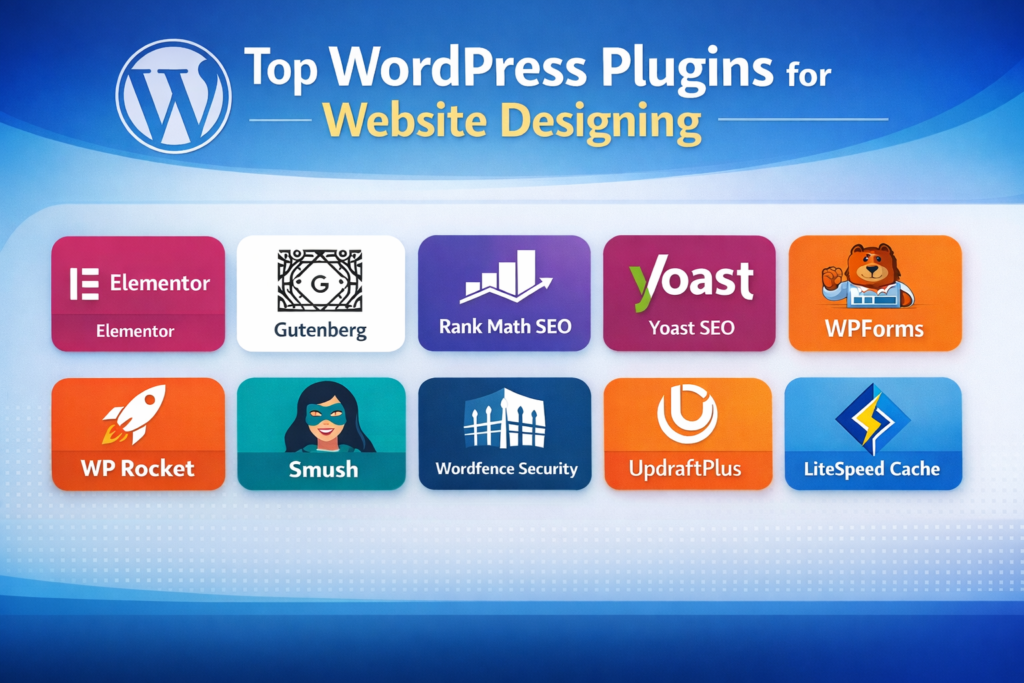
🔹 Essential WordPress Website Designing Using Plugins – Easy Beginner Guide 2026
1. Elementor – Page Builder Plugin
Elementor is a drag-and-drop page builder that allows beginners to design pages visually. It provides full design flexibility without coding.
Best for: Business websites, landing pages
Key benefits: Live editing, responsive design, widgets
2. Gutenberg – WordPress Block Editor
Gutenberg is the default WordPress editor that uses blocks to build layouts. It is lightweight and performance-friendly.
Best for: Blogs, content-focused websites
Key benefits: Fast loading, no extra plugin, clean structure
3. Rank Math SEO
Rank Math helps optimize WordPress websites for search engines and improves rankings.
Best for: On-page SEO
Key benefits: Keyword optimization, schema, sitemap, analytics
4. Yoast SEO
Yoast SEO is a popular plugin for improving website visibility and readability.
Best for: Beginners
Key benefits: SEO analysis, readability checks, meta optimization
5. WPForms
WPForms allows you to create contact forms and lead generation forms easily.
Best for: Contact forms
Key benefits: Drag-and-drop builder, spam protection
6. Contact Form 7
A lightweight and free plugin to create simple contact forms.
Best for: Simple websites
Key benefits: Free, flexible, easy setup
7. WP Rocket
WP Rocket is a premium caching plugin that improves website speed and performance.
Best for: Performance optimization
Key benefits: Faster loading, Core Web Vitals improvement
8. LiteSpeed Cache
powerful caching plugin especially useful for LiteSpeed servers.
Best for: Speed optimization
Key benefits: Server-level caching, image optimization
9. Smush
Smush compresses images automatically to improve page speed.
Best for: Image optimization
Key benefits: Image compression, lazy loading
10. Wordfence Security
Best for: Website security
Key benefits: Firewall, malware scanning, login security
Wordfence protects WordPress websites from malware and hacking.
11. iThemes Security
iThemes Security strengthens WordPress security with easy settings.
Best for: Beginners
Key benefits: Brute force protection, security alerts
12. UpdraftPlus
UpdraftPlus creates automatic backups of your WordPress website.
Best for: Backup & restore
Key benefits: Scheduled backups, cloud storage support
WordPress Website Designing Using Plugins Step-by-Step Guidance:
Step 1: Choose reliable hosting and install WordPress
Step 2: Select a lightweight theme (Astra or GeneratePress)
Step 3: Install a page builder plugin (Elementor or Gutenberg)
Step 4: Add essential plugins (SEO, speed, security, forms)
Step 5: Create pages (Home, About, Services, Contact)
Step 6: Optimize website for mobile and SEO
Step 7: Test speed, performance, and security
Step 8: Publish your website and maintain it regularly
Best Practices for Using WordPress Plugins
- Install only necessary plugins
- Avoid plugin overload
- Keep plugins updated
- Remove unused plugins
- Use trusted plugins from WordPress repository
Common Mistakes Beginners Should Avoid
Installing too many plugins
Ignoring SEO optimization
Not taking backups
Using outdated or nulled plugins
Not checking website speed
Conclusion
WordPress website designing using plugins is the smartest approach for beginners in 2026. With the right plugins and proper guidance, you can build a professional, fast, secure, and SEO-friendly website without coding knowledge.
WordPress Website Designing Using Plugins
Service-Based Version for MaxDigitalSoft
Introduction
At MaxDigitalSoft, we specialize in WordPress Website Designing using plugins to help businesses build professional, fast, secure, and SEO-friendly websites in 2026. Using industry-proven WordPress plugins, we design websites that are visually appealing, mobile-responsive, and optimized for performance and search engines.
Whether you are a startup, small business, or growing brand, our WordPress design services ensure your website is scalable, user-friendly, and conversion-focused.
Why Choose WordPress for Your Business Website?
WordPress is the world’s most popular CMS, powering millions of websites globally. At MaxDigitalSoft, we use WordPress because it offers:
- Easy content management
- Custom design flexibility using plugins
- SEO-friendly architecture
- Fast performance with optimization tools
- Secure and scalable website structure
Why MaxDigitalSoft Uses Plugins for Website Designing
Plugins allow us to build custom WordPress websites without limitations. Instead of hard coding, we use reliable plugins to deliver faster results and long-term flexibility for our clients.
Benefits for our clients:
- Faster website delivery
- Cost-effective solutions
- Easy future updates
- Better SEO and performance
- Improved website security
WordPress Website Designing Using Plugins We Use at MaxDigitalSoft
Elementor – Professional Page Design
We use Elementor to design modern, high-converting layouts with full design control.
Used for:
- Home pages
- Service pages
- Landing pages
Client benefit: Clean design, mobile responsiveness, fast customization.
Gutenberg – Lightweight Content Design
For content-focused websites, we use Gutenberg to ensure faster load times and clean structure.
Used for:
- Blogs
- Informational websites
Client benefit: Better performance and SEO.
Rank Math SEO – Search Engine Optimization
SEO is built into every website we deliver. Rank Math SEO helps us optimize each page properly.
Used for:
- Meta titles & descriptions
- Keyword optimization
- Schema markup
Client benefit: Higher search visibility and better rankings.
WPForms – Lead Generation Forms
We use WPForms to create contact forms, inquiry forms, and lead capture forms.
Used for:
- Contact pages
- Lead generation
Client benefit: Easy communication and better conversions.
WP Rocket / LiteSpeed Cache – Speed Optimization
Website speed directly impacts user experience and SEO. We use caching plugins to optimize performance.
Used for:
- Faster page loading
- Core Web Vitals improvement
Client benefit: Faster website and better Google rankings.
Smush – Image Optimization
Images are optimized using Smush to ensure fast loading without quality loss.
Client benefit: Improved speed and user experience.
How MaxDigitalSoft Designs WordPress Websites Using Plugins Step-by-Step Guidance:
Step 1: Requirement analysis & business understanding
Step 2: Domain, hosting & WordPress setup
Step 3: Theme selection (lightweight & SEO-friendly)
Step 4: Plugin installation & configuration
Step 5: Custom page design using Elementor/Gutenberg
Step 6: SEO setup using Rank Math
Step 7: Speed & security optimization
Step 8: Testing, launch & client handover
Best Practices We Follow
- Use only trusted, updated plugins
- Avoid plugin overload
- Optimize website speed & SEO from day one
- Ensure mobile responsiveness
- Provide scalable website structure
- Use only trusted, updated plugins
- Avoid plugin overload
- Optimize website speed & SEO from day one
- Ensure mobile responsiveness
- Provide scalable website structure
Who Can Benefit from WordPress Website Designing Services?
- Small businesses
- Startups
- Service providers
- Local businesses
- Personal brands
- E-commerce beginners
Why Choose MaxDigitalSoft?
Experienced WordPress designers
SEO-focused website development
Performance-optimized websites
Transparent process
Ongoing support & maintenance
If you are looking for a professional WordPress website designed using the right plugins, MaxDigitalSoft is here to help. We create websites that not only look great but also deliver strong performance and generate quality leads. With WordPress website Designing using plugins, beginners can build powerful, professional websites in 2026 without coding. The right plugins enhance design, performance, security, and SEO, making WordPress the ideal platform for modern websites.
👉 Contact MaxDigitalSoft.com today to get started.
FAQ’S
What is WordPress website designing using plugins?
WordPress website designing using plugins is the process of creating and customizing a website by using WordPress plugins to add design, functionality, SEO, security, and performance features without coding.
Are plugins necessary for designing a WordPress website?
Yes, plugins are essential because they extend WordPress functionality and make it easy to design professional, feature-rich websites.
Which plugins are best for WordPress website designing in 2026?
Popular plugins include Elementor or Gutenberg for design, Rank Math or Yoast for SEO, WPForms for contact forms, WP Rocket or LiteSpeed Cache for speed, and Wordfence for security.
Can beginners design a WordPress website using plugins?
Yes, beginners can easily design WordPress websites using plugins because most plugins offer drag-and-drop interfaces and user-friendly settings.
How many plugins should be used on a WordPress website?
There is no fixed number, but beginners should ideally use 8 to 15 well-optimized plugins depending on website requirements.
Is Elementor better than Gutenberg for website design?
Elementor is better for advanced layouts and visual design, while Gutenberg is ideal for lightweight, fast-loading, content-focused websites.
Which SEO plugin is better: Rank Math or Yoast?
Both are good SEO plugins, but Rank Math offers more advanced features in its free version compared to Yoast.
Do plugins slow down a WordPress website?
Plugins do not slow down a website if they are well-coded and properly optimized. Poor-quality or excessive plugins can impact performance.
Can I design a WordPress website without coding skills?
Yes, WordPress plugins allow complete website design and customization without any coding knowledge.
Are WordPress plugins safe to use?
Yes, plugins from trusted sources like the WordPress repository are safe when kept updated and properly configured.
Which plugins are required for website speed optimization?
Caching plugins like WP Rocket or LiteSpeed Cache and image optimization plugins like Smush are commonly used for speed optimization.
How do plugins help in SEO-friendly website designing?
SEO plugins help optimize meta titles, descriptions, keywords, schema, sitemaps, and overall on-page SEO structure.
Can I change plugins after designing my website?
Yes, plugins can be replaced or updated later, but changes should be tested carefully to avoid design or functionality issues.
Do I need premium plugins for professional website design?
Free plugins are enough for basic websites, but premium plugins offer advanced features, better support, and enhanced performance.
How often should WordPress plugins be updated?
Plugins should be updated regularly to maintain security, compatibility, and performance.