
What is Google Search Console?
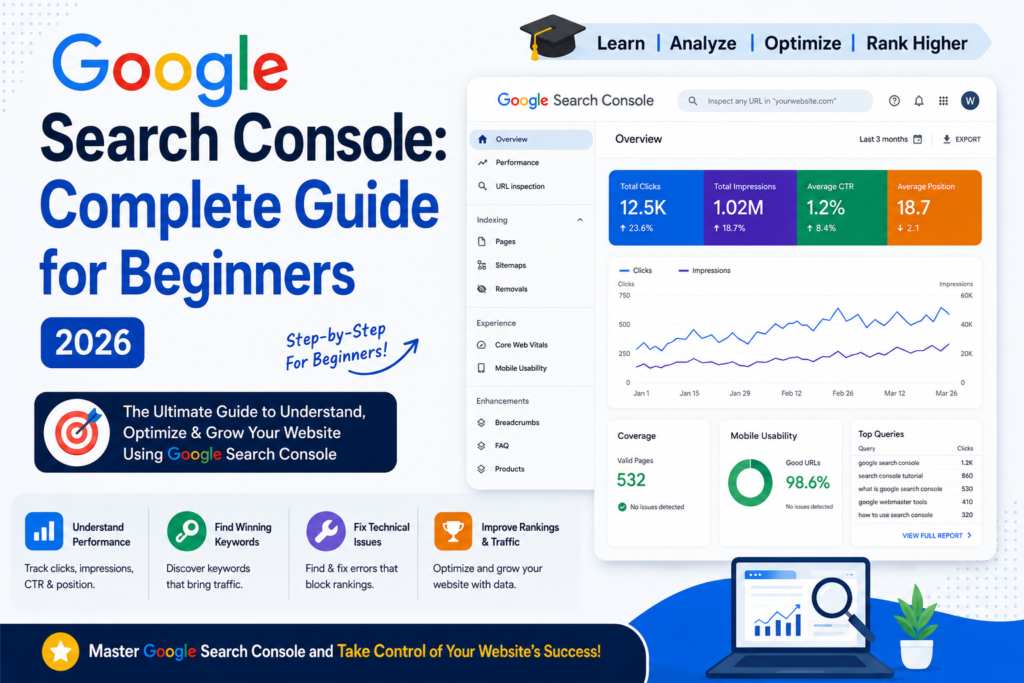
Google Search Console: Complete Guide – Google Search Console is a powerful SEO tool that shows how Google sees your website.
It helps you track:
- Website indexing status
- Search performance (clicks & impressions)
- Keywords your site ranks for
- Technical SEO errors
- Mobile usability issues
- Backlinks and internal links
In simple words: It shows how your website performs on Google
Google Search Console: Complete Guide – Why Google Search Console is Important for SEO
Using Google Search Console helps you improve your SEO in many ways:
1. Monitor Website Performance
You can track:
- Total clicks
- Total impressions
- Average position
- Click-through rate (CTR)
2. Check Indexing Status
You can see:
- Which pages are indexed
- Which pages are not indexed
- Why pages are not appearing on Google
3. Fix SEO Issues
It helps detect:
- Crawl errors
- 404 pages
- Mobile usability issues
- Server errors
4. Improve Keyword Rankings
You can find:
- High-performing keywords
- Low-ranking pages
- New keyword opportunities
5. Submit Pages for Indexing
You can request Google to index:
- New blog posts
- Updated pages
- Fixed pages
Key Features of Google Search Console
Google Search Console: Complete Guide – How to Set Up Google Search Console (Step-by-Step)
Step 1: Add Your Website
Go to Google Search Console and add your domain.
Step 2: Verify Ownership
Verify using:
- Domain DNS
- HTML file upload
- WordPress plugin
Step 3: Submit Sitemap
Submit:
https://yourdomain.com/sitemap.xmlStep 4: Check Indexing
Step 5: Fix Errors
Fix:
- Not indexed pages
- Crawl errors
- Mobile issues
Benefits of Google Search Console
- Improve Google ranking
- Increase organic traffic
- Fix SEO issues
- Monitor website health
- Improve indexing speed
- Find keyword opportunities
Common Mistakes to Avoid
- Not submitting sitemap
- Ignoring indexing errors
- Not checking performance reports
- Not fixing mobile issues
- Not updating content regularly
Google Search Console: Complete Guide – Conclusion
Google Search Console is one of the most powerful free SEO tools for website owners.
If you want to grow your website, improve ranking, and increase traffic, you must use it regularly
FAQ’s
1. What is Google Search Console?
Google Search Console is a free SEO tool by Google that helps website owners monitor, maintain, and improve their website’s visibility in Google Search results.

2. Why is Google Search Console important for SEO?
It helps you track keyword rankings, website traffic, indexing issues, mobile usability, and technical SEO errors that affect search performance.

3. Is Google Search Console free?
Yes, Google Search Console is completely free for bloggers, businesses, and website owners.

4. How do I set up Google Search Console?
You need to:
Add your website property
Verify ownership
Submit your sitemap
Start monitoring your website data


5. What is website verification in Google Search Console?
Verification confirms that you own the website. Google allows verification through:
DNS record
HTML file upload
Meta tag
Google Analytics

6. What is a sitemap?
A sitemap is a file that helps Google discover and index your website pages efficiently.

7. How do I submit a sitemap in Google Search Console?
Go to:
Indexing → Sitemaps → Enter sitemap URL → Submit
Example:
https://yourwebsite.com/sitemap.xml

8. What is the URL Inspection Tool?
The URL Inspection Tool checks whether a webpage is indexed by Google and identifies crawling or indexing issues.

9. What are impressions in Google Search Console?
Impressions indicate how many times your website appeared in Google Search results.
10. What are clicks in Search Console?
Clicks show how many users clicked your website link from Google Search.

11. What are Core Web Vitals?
Core Web Vitals measure website performance, loading speed, interactivity, and visual stability.

12. Why are my pages not indexing?
Possible reasons include:
No-index tags
Crawl errors
Poor content quality
Blocked robots.txt
Duplicate content