
Learn the Best Technical SEO tips to improve website performance, increase page speed, boost Google rankings, and optimize Core Web Vitals in 2026.
Technical SEO Tips-Introduction
Technical SEO plays a major role in improving website performance, search engine rankings, and user experience. Even if your website has quality content, poor technical SEO can stop your pages from ranking on Google.
In this blog, we will discuss the best technical SEO tips to improve website performance and boost your rankings.
What is Technical SEO?
Technical SEO is the process of optimizing a website’s technical structure so search engines can easily crawl, index, and rank pages.
Technical SEO – It focuses on:
- Website speed
- Mobile friendliness
- Secure HTTPS connection
- XML sitemaps
- Structured data
- Crawl optimization
- Core Web Vitals
- Broken links and errors
Technical SEO improves both search engine visibility and user experience.
1. Improve Website Loading Speed
Website speed is one of Google’s important ranking factors. Slow websites increase bounce rates and reduce conversions.
Tips to Improve Speed
- Compress images before uploading
- Use WebP image format
- Enable browser caching
- Minify CSS, JavaScript, and HTML
- Use a fast hosting provider
- Enable lazy loading
- Use a CDN (Content Delivery Network)
Recommended Tools
- Google PageSpeed Insights
- GTmetrix
- Lighthouse
2. Optimize Core Web Vitals
Core Web Vitals measure user experience and website performance.
Important Metrics
Largest Contentful Paint (LCP)
Measures loading speed.
Ideal: Less than 2.5 seconds
Interaction to Next Paint (INP)
Measures responsiveness.
Ideal: Less than 200 milliseconds
Cumulative Layout Shift (CLS)
Measures visual stability.
Ideal: Less than 0.1
Improving these metrics helps improve rankings and user satisfaction.
3. Make Your Website Mobile-Friendly
Most users browse websites using mobile devices. Google uses mobile-first indexing, meaning it mainly checks the mobile version of your website.
Mobile SEO Tips
- Use responsive design
- Avoid large popups
- Improve mobile page speed
- Use readable font sizes
- Optimize buttons and navigation
You can test your site using Google’s Mobile-Friendly Test tool.
4. Use HTTPS Security
A secure website builds trust and improves SEO rankings.
Benefits of HTTPS
- Protects user data
- Improves credibility
- Better rankings on Google
- Secure payment transactions
Install an SSL certificate and make sure all pages redirect from HTTP to HTTPS.
5. Create and Submit XML Sitemap
An XML sitemap helps search engines understand your website structure and discover pages faster.
Sitemap Benefits
- Faster indexing
- Better crawl efficiency
- Helps new websites get indexed
Sitemap Example
https://yourwebsite.com/sitemap.xmlSubmit your sitemap in Google Search Console.
6. Fix Crawl Errors
Search engines should crawl your website without issues.
Common Crawl Errors
- Broken links
- 404 pages
- Redirect loops
- Server errors
Use Google Search Console regularly to identify and fix these problems.
7. Optimize URL Structure
SEO-friendly URLs improve readability and rankings.
Good URL Example
https://example.com/technical-seo-tipsBad URL Example
https://example.com/page?id=123URL Best Practices
- Keep URLs short
- Include target keywords
- Avoid unnecessary numbers and symbols
- Use hyphens instead of underscores
8. Add Structured Data Schema Markup
Structured data helps search engines understand your content better.
Types of Schema
- Article Schema
- FAQ Schema
- Product Schema
- Review Schema
- Local Business Schema
Benefits include:
- Rich snippets
- Higher CTR
- Better search visibility
9. Optimize Robots.txt File
The robots.txt file tells search engines which pages to crawl or avoid.
Example
User-agent: *
Allow: /
Sitemap: https://yourwebsite.com/sitemap.xml
Incorrect robots.txt settings can block important pages from indexing.
10. Remove Duplicate Content
Duplicate content confuses search engines and affects rankings.
Solutions
- Use canonical tags
- Redirect duplicate pages
- Avoid copying content
- Maintain unique meta titles and descriptions
11. Optimize Internal Linking
Internal links help search engines discover pages and improve user navigation.
Best Practices
- Link relevant pages naturally
- Use keyword-rich anchor text
- Avoid excessive links
- Connect high-authority pages to new pages
12. Monitor Website Performance Regularly
SEO is an ongoing process. Monitor your website performance regularly using SEO tools.
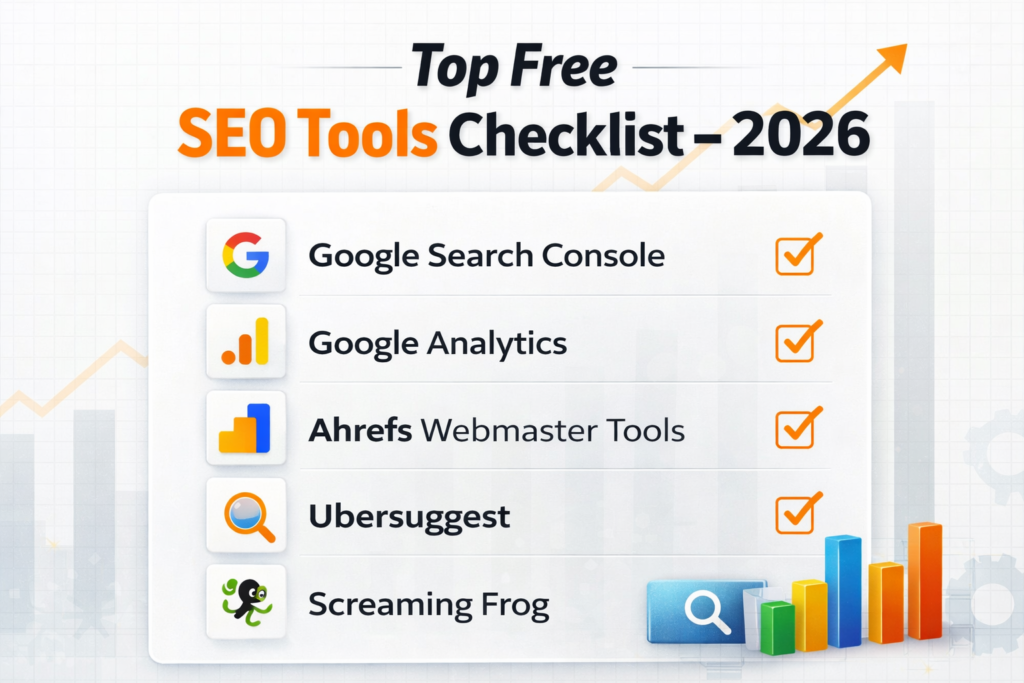
Technical SEO – Best SEO Monitoring Tools
- Google Search Console
- Google Analytics
- Ahrefs
- SEMrush
- Screaming Frog
Track:
- Organic traffic
- Crawl errors
- Keyword rankings
- Page speed
- Mobile usability
Common Technical SEO Mistakes
Avoid these common mistakes:
- Slow website speed
- Broken links
- Missing meta tags
- Duplicate content
- Poor mobile optimization
- Large image sizes
- Missing schema markup
- Unsecured HTTP pages
Technical SEO Tips – Conclusion
Technical SEO is essential for improving website performance, user experience, and Google rankings. A fast, secure, and mobile-friendly website helps search engines crawl your pages efficiently and improves organic traffic.
By implementing these technical SEO tips, businesses can improve visibility, increase website speed, and achieve better search rankings in 2026.
Start optimizing your website today and stay ahead in the competitive digital landscape.
FAQ’s
1. What is Technical SEO?
Technical SEO is the process of optimizing a website’s backend structure to help search engines crawl, index, and rank pages effectively.
2. Why is Technical SEO important for websites?
Technical SEO improves website speed, mobile usability, security, and overall user experience, which helps improve Google rankings.
3. How does website speed affect SEO?
A fast-loading website improves user experience and reduces bounce rates. Google considers page speed as an important ranking factor.
4. What are Core Web Vitals in SEO?
Core Web Vitals are Google performance metrics that measure loading speed, responsiveness, and visual stability of a website.
5.How can I improve my website’s loading speed?
Mobile-first indexing means Google mainly uses the mobile version of your website for ranking and indexing.
6. Why is HTTPS important for SEO?
HTTPS secures user data and improves trustworthiness. Google prefers secure websites in search rankings.
7. What is an XML Sitemap?
An XML sitemap helps search engines discover and index website pages more efficiently.
8. How do broken links affect SEO?
Broken links create poor user experience and reduce crawl efficiency, which can negatively impact rankings.
9. What is schema markup in Technical SEO?
Schema markup is structured data that helps search engines understand content and display rich snippets in search results.
10. What is the purpose of a robots.txt file?
The robots.txt file tells search engines which pages or sections of a website they can crawl or avoid.
11. Which tools are best for Technical SEO analysis?
Popular tools include Google Search Console, Google PageSpeed Insights, Ahrefs, SEMrush, Screaming Frog, and GTmetrix.

Pingback: Complete Guide to Core Web Vitals in 2026